
Clockify Free Plan Changes 2026: What's Gone and What to Do Next
28 May 2026 • Raddy
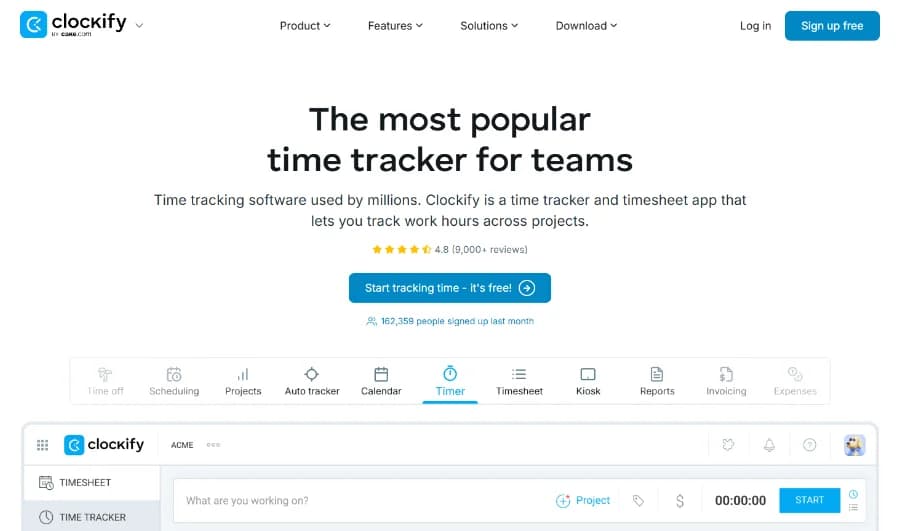
If you've been using Clockify's free plan to track billable hours, export reports, or share project data with clients, April 2026 brought some unwelcome news. Clockify quietly moved several features that were previously free — including billable rates, CSV exports, and shared report links — behind their paid plans.
This post covers exactly what changed, who it affects most, and the realistic options you have.
What Clockify Changed in April 2026
Here's a summary of what moved from free to paid:
- Billable rates — Setting hourly rates on projects and tracking billable vs non-billable time now requires a paid plan
- CSV and Excel exports — Free users can no longer export time data as CSV or Excel files
- Shared report links — Generating a shareable link to send a report to a client is now a paid feature
- Project time estimates — Setting estimated hours on projects and tracking against budgets is paid-only
- Report date range — Free reports are now limited to a 31-day window (previously unlimited)
- Team size — The free tier now caps at 5 users (previously unlimited)
For teams who purely need basic time logging with no client-facing features, the free plan is still functional. For almost everyone else — especially freelancers — this is a significant change.
Who Is Most Affected
Freelancers are hit hardest. The whole point of tracking time as a freelancer is to know what's billable, generate reports, and send invoices. Removing billable rates alone breaks the core workflow. If you were using Clockify's free plan to run your billing, you're now either upgrading or switching.
Small teams (2–5 people) who used Clockify for shared reporting and project estimates will find the free tier considerably less useful. Shared reports — the ability to send a client-readable link without requiring them to log in — was genuinely useful and is now paywalled.
Solo users who exported to Excel for their own records or for accountants also lose a feature they relied on at no cost.
Your Options
Option 1: Stay on Clockify and upgrade
Clockify's Basic plan starts at $3.99/seat/month (billed annually). That gets you CSV exports and some reporting features back, but billable rates require the Standard plan at $5.49/seat/month.
For a solo freelancer, that's about $65/year for Standard — not astronomical, but you're still missing retainer management, shareable invoice links, and purpose-built invoicing.
For a team of 3 on Standard, you're paying $197/year. At that price point, purpose-built tools start looking more attractive.
Option 2: Switch to a tool built for the workflow you actually need
If you were using Clockify as a freelancer to track billable hours and export data for invoicing, the April 2026 changes are a signal that the tool isn't optimised for your use case. Clockify is primarily a team time tracker. The features freelancers need most keep getting moved to paid tiers because that's not who the product is built for.
Why TimeNTrack Is Worth Considering
TimeNTrack is built around the freelance workflow: track time, set billable rates, generate an invoice, send it to the client. Everything in one tool, nothing locked away.
Here's what you get on a flat $9/month:
- Billable rates — set hourly rates per project or client, included from day one
- CSV exports — export your time data whenever you need it
- Shared reports — send clients a link to view their own time report, no login required
- Built-in invoicing — generate a professional invoice directly from your tracked hours
- Shareable invoice links — clients can view and download their invoice from a link
- No per-seat pricing — the price stays flat whether you work solo or add a contractor
- 14-day free trial — all features included, no credit card required
The pricing difference also matters at scale. Three people on Clockify Standard pay $197/year. Three people on TimeNTrack pay $108/year (annual plan) — and get invoicing and shareable links that Clockify Standard doesn't include.
How to Switch in Minutes
The practical concern when switching tools is your existing data. TimeNTrack has a one-click Clockify CSV import, so moving your time history is straightforward.
Step 1: Export your data from Clockify
In Clockify, go to Reports → Detailed → export as CSV. You can filter by date range to grab as much history as you want to bring across.
Step 2: Sign up for TimeNTrack
Start a 14-day free trial at timentrack.com/auth/signup. No credit card needed — you get access to all features immediately.
Step 3: Import your Clockify data
Go to Settings → Import → select Clockify → upload the CSV file you exported. TimeNTrack will automatically map your clients, projects, and time entries. The whole import takes about a minute.
After that, you'll find your historical data ready to use. Set up your billable rates, recreate any ongoing projects, and you're running.
The Bottom Line
Clockify's April 2026 free plan changes are a reasonable business decision from their side — but they shift the value proposition significantly for freelancers who relied on billable tracking and exports at no cost.
If you're on the fence about staying, the honest question to ask is: what am I actually paying for with Clockify's paid plan, and does it include the invoicing workflow I need?
For most freelancers, the answer points toward a tool built for that specific workflow. TimeNTrack's 14-day trial costs nothing to try, and the Clockify comparison page has a full side-by-side breakdown of what you'd get.
If you've already decided to move, the switch from Clockify guide walks through the full migration step by step.

Written by
RaddyWeb developer, designer, and founder of TimeNTrack. With over 10 years of experience helping freelancers run better businesses, Raddy has worked with thousands of people through his Raddy Dev YouTube channel, his blog at raddy.dev, and ran a successful freelance business himself.